How to Add CNAME (DNS) records set-up on Register.com DNS Manager
Step 1: Go to register.com Log in to your register.com account and go to Manage Account.

Step 2: Hover your cursor over Domains and select Manage.
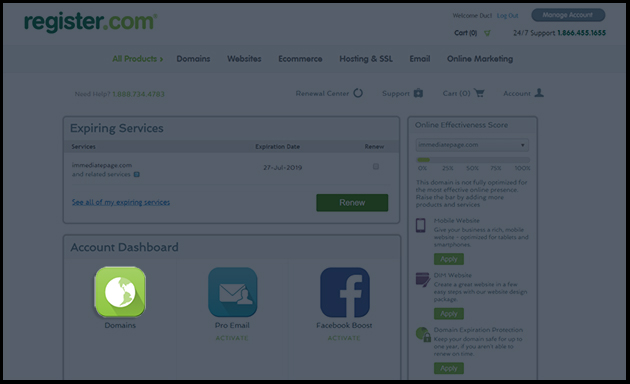
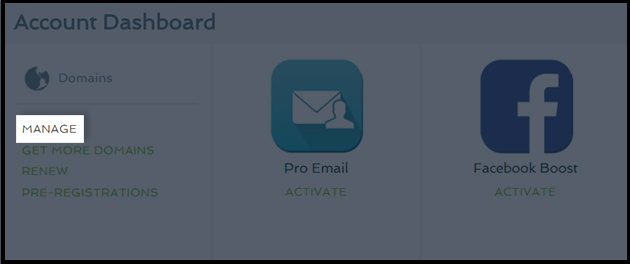
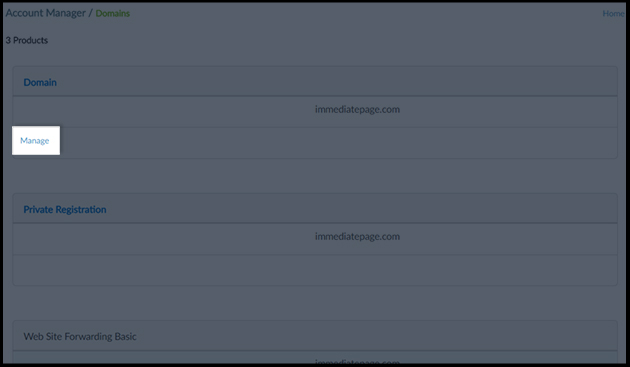
Step 3: Click Manage under the domain you want to send the automated emails from.
Step 4: Scroll down and click on Edit Domain Aliases Records next to CNAME.
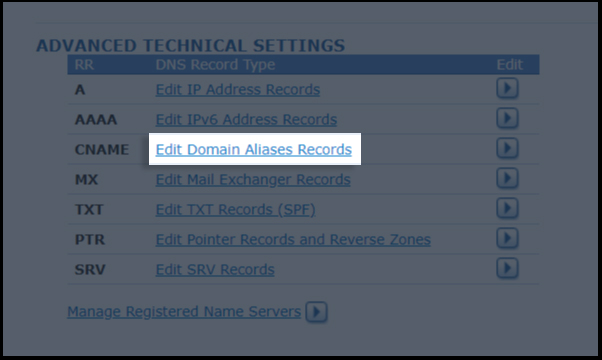
5. Enter the details for your CNAME records. Copy the CNAME record value shared by datahash and paste the same in the domain manager
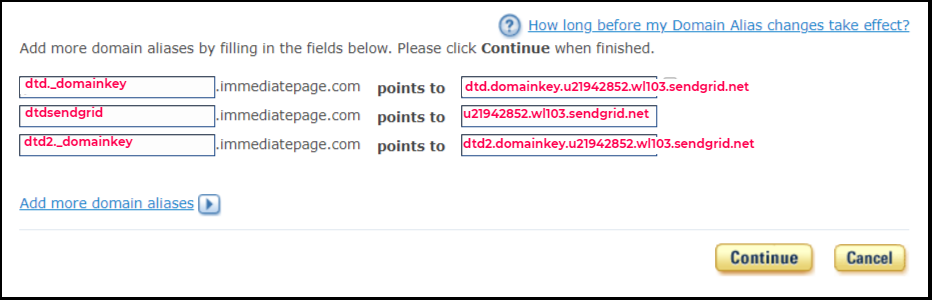
Step 6: Save the changes.
Related Articles
How to Add CNAME (DNS) records set-up on Only Domains DNS Manger
Step 1. Go to OnlyDomains and Log in to your OnlyDomains account Step 2: From your account dashboard, select the domain you want to manage. Step 3: Click on DNS settings & Select Use OnlyDomains Name Server as shown below Step 4: Select CNAME from ...How to Add CNAME (DNS) records set-up on SAV.com DNS Manager
Step 1: Go to Sav.com & login to your account. Go to My Domains & choose the domain where records are to be added Step 2: Click on Manage DNS Step 3: Choose the type as CNAME. Step 4: Copy the CNAME record value shared by datahash and paste the same ...How to Add CNAME (DNS) records set-up on Name.com DNS Manager
Step 1: Go to Name.com and log in to your account. Step 2: Click on the MY DOMAINS link, located on the top right of the navigation. Step 3: Choose the domain where records are to be added. Click on Manage Domain of that Domain from its action button ...How to Add CNAME (DNS) records set-up on Joker.com DNS Manager
Step 1: Go to Joker.com and Login into the website with username and password Step 2: In the dashboard screen find the domain for which you want to add the NS record and click on it. This will take you to the domain’s settings page. Step 3: Scroll ...How to Add CNAME (DNS) records set-up on Dynadot DNS Manager
CNAME Records Step 1: Go to Dynadot & login to your account Step 2: Click on Manage Domain in My Domains Step 3: Checkbox the domain where records are to be added. Click on Bulk action to open dropdown. Click on DNS settings Step 4: Click the ...