How to Add CNAME (DNS) records set-up on Hostinger DNS Manager
Step 1: Go to Hostinger & Login to your account
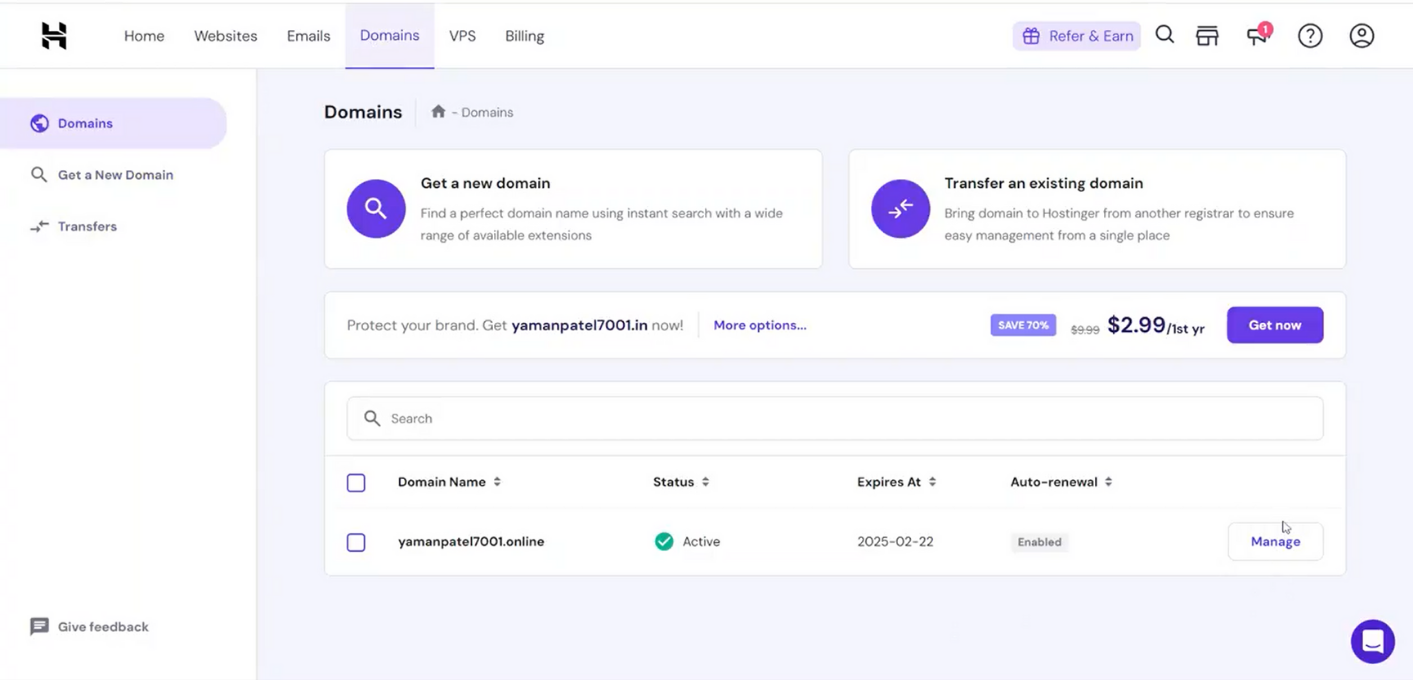
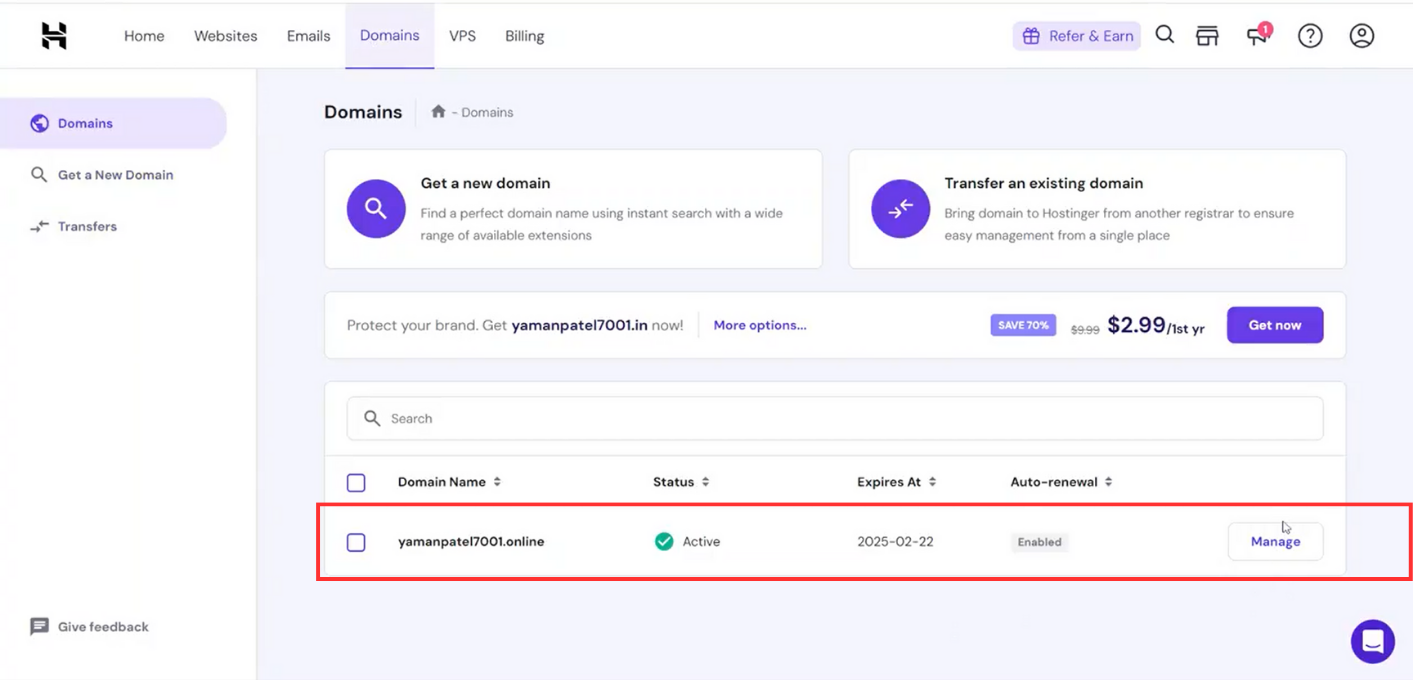
Step 2: Got to Domains section & choose the Domain where records are to be added
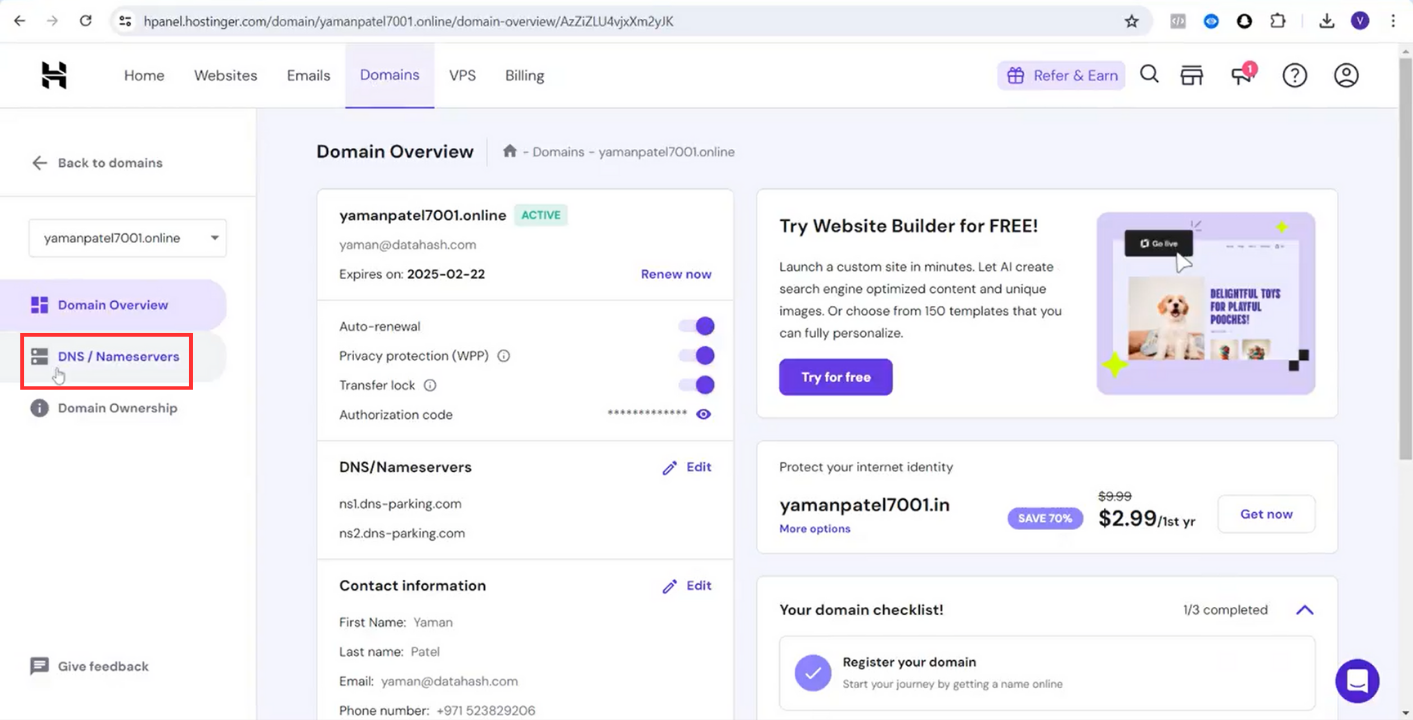
Step 3: Go to DNS/Nameserver section
Step 4: Under Manage DNS Records section choose type as CNAME & copy the CNAME record value shared by datahash and paste the same in the domain manager.

Step 6: Click on Add Record & records will be added

Related Articles
How to Add CNAME (DNS) records set-up on Rebel DNS Manager
Step 1: Login to your Rebel account, click on My Account, and select Domain Manager. Step 2: Click directly on your domain name to access the domain editing page. Step 3: On the domain editing page, select the DNS tab. Step 4: Scroll down to Manage ...How to Add CNAME (DNS) records set-up on Google Cloud DNS Manager
Step 1: Go to Google Cloud Platform & Login to your platform Step 2: Go to Cloud Home>Network Services> Cloud DNS Step 3: Choose the zone where records are to be added Step 4: Click on Add Record Set Step 5: Choose the type as CNAME & copy the CNAME ...How to Add CNAME (DNS) records set-up on Instra Corporation Party Ltd DNS Manager
Step 1: Log in to your account Step 2: Go to “My Registered Domain(s)” Step 3: Click on the domain name you wish to modify Step 4: Under the heading “Domain Nameserver Details” select the ‘Set Up DNS Record’ option Step 5: If the ‘Set Up DNS Record’ ...How to Add CNAME (DNS) records set-up on Dynadot DNS Manager
CNAME Records Step 1: Go to Dynadot & login to your account Step 2: Click on Manage Domain in My Domains Step 3: Checkbox the domain where records are to be added. Click on Bulk action to open dropdown. Click on DNS settings Step 4: Click the ...How to Add CNAME (DNS) records set-up on Dotster DNS Manager
CNAME Records Step 1: Login to your Dotster account Step 2: Navigate to Domains Step 3: Go to the lower section of this page and Click on Advanced tools Step 4: Click on Manager beside Advanced DNS records. Step 5: Click on Add Record Step 6: Copy ...